

What Endeavor is
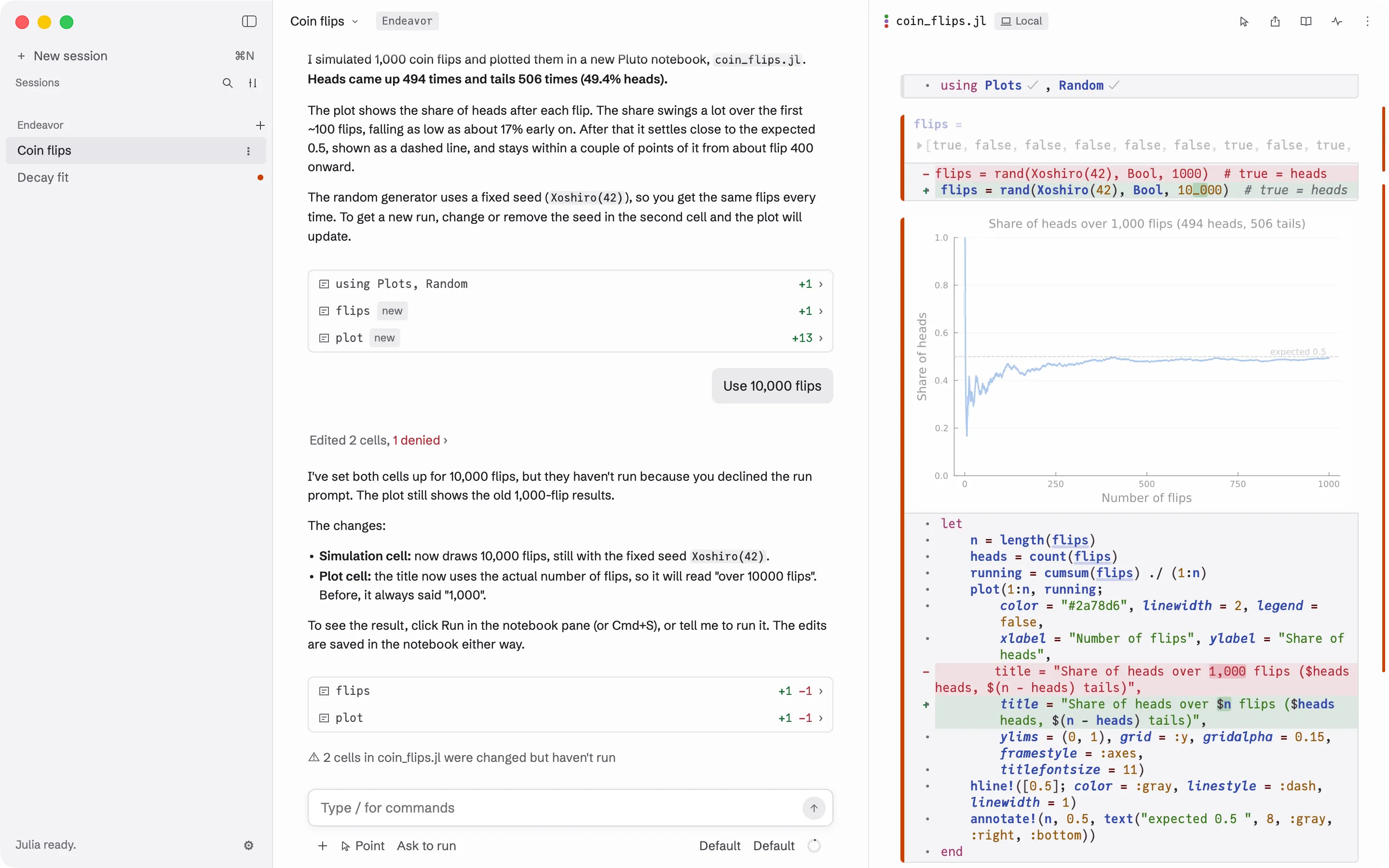
Endeavor is a Mac app for doing your own data analysis with Claude, an AI assistant made by Anthropic. You describe what you want in a chat. Claude writes the code and runs it in a notebook next to the chat, and you watch each step, change what you like, and decide what runs.
The words this guide uses
Section titled “The words this guide uses”- Julia is the programming language the code is written in. You don’t need to know it to start. Claude writes the code, and you can ask it to explain any part.
- A notebook is a file that holds code together with its results:
numbers, tables and plots. Endeavor uses Pluto
notebooks, which are plain Julia files ending in
.jl. - A cell is one piece of a notebook: a few lines of code with their result shown above them. In a Pluto notebook, when you change a cell, the cells that use its result run again by themselves, so what you see always matches the code.
- A session is one conversation with Claude, together with its notebook.
- A server is another computer you reach over the network, such as a lab machine. A cluster is a group of shared computers where work runs as scheduled jobs. Endeavor can run your notebook on either one. See Servers and Clusters.
The notebook is the record
Section titled “The notebook is the record”The chat is where you and Claude talk. The notebook is what you keep. It holds every step of the analysis as code, with the result of each step right under it, so you or a colleague can read it, check it, and run it again later. Ask Claude to put explanations in the notebook as text, so the reasoning stays with the code.
What you need
Section titled “What you need”- A Mac with macOS 13 (Ventura) or later. Apple silicon and Intel Macs both work.
- A Claude account that includes Claude Code: a Claude Pro, Max, Team or Enterprise plan, or an Anthropic Console account. A free Claude account can’t be used.
- An internet connection the first time you open Endeavor, and whenever you talk to Claude. Notebooks on your Mac keep working offline.
Endeavor is made for macOS. A Windows 10 or 11 (x64) build is there to try, with rough edges. On Linux, you build it yourself. Install Endeavor says how to get it on each. Besides Claude, a session on your Mac can use Codex, OpenAI’s assistant, with a ChatGPT account. Pick it on the new-session screen. Other assistants are listed in Settings as Not available yet.
What Endeavor installs on first launch
Section titled “What Endeavor installs on first launch”Endeavor sets up the programs it needs the first time you open it. This takes a minute or two and needs the internet once.
- Node.js 24.21.0, from nodejs.org (about 50 MB). Endeavor uses it to run Claude Code.
- Claude Code and the adapter Endeavor uses to talk to it, from the npm package registry (about 110 small packages).
The first time you open a Julia notebook, it installs:
- Julia 1.12.6, from julialang.org (about 230 MB, or 270 MB on an
Intel Mac), unless a Julia 1.11 or newer is already on your PATH. It goes
in
~/.cache/endeavor/. - Pluto and the packages it needs, which Julia downloads from Julia’s package registry.
The first time you open an R notebook, it installs:
- Ember, the R package that runs R notebooks, and the packages it needs, from Ember’s R package repository and CRAN.
- R 4.6.1, from CRAN (about 165 MB), only on a Mac that has no R, and
only when you click Install R. It goes in
~/.cache/endeavor/.
On Windows, Julia comes from juliaup, Julia’s own installer, which Endeavor installs during setup if you don’t have it; juliaup checks the Julia it downloads. Endeavor checks the Node.js download, and outside Windows the Julia download, against fixed checksums before it uses them, and Claude Code’s packages against a fixed list. A download that doesn’t match is deleted, and setup stops and tells you.
Everything goes into one folder:
~/Library/Application Support/endeavor/. The ~ stands for your home
folder. You don’t need to install Julia or Claude Code yourself. If you
already have your own Julia, you can tell Endeavor to use it instead. See
Settings.
Next: Install Endeavor.